Vinbiru
Simplecom SD560 Dual-Bay NVMe M.2 SSD Docking Station – 10Gbps USB-C 3.2 Gen 2, Offline Clone, Dual SSD Slots & Cooling Fan
Simplecom SD560 Dual-Bay NVMe M.2 SSD Docking Station – 10Gbps USB-C 3.2 Gen 2, Offline Clone, Dual SSD Slots & Cooling Fan
Couldn't load pickup availability
Estimate shipping
Check delivery costs for your selected quantity without adding to cart.
Quantity: 1 item · Selected product
Available shipping options · 1 item
Estimated for your selected quantity. Final cost at checkout.
SKU:V28-SIMSD560
Electronics > Back Up & Storage > Hard Drives
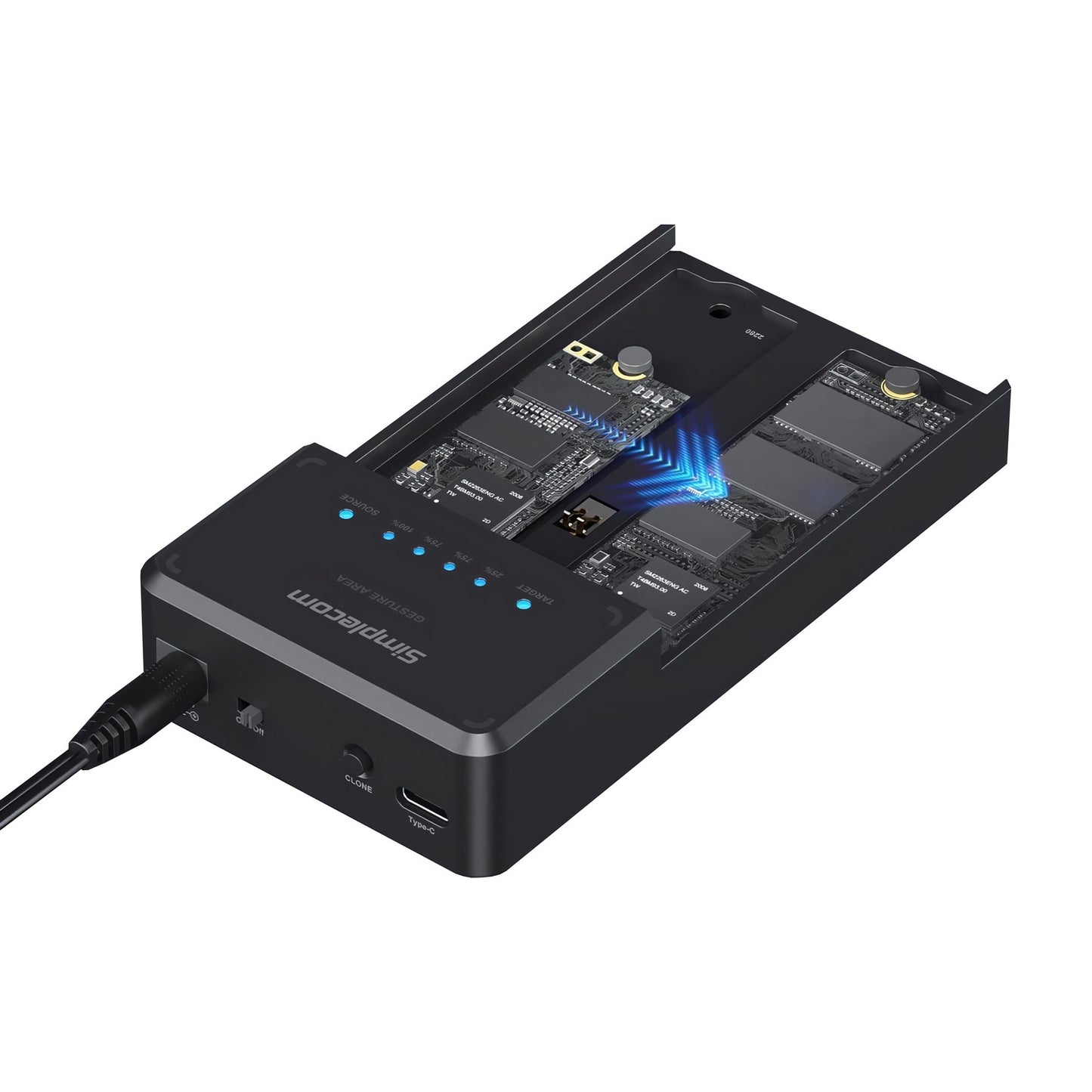
Manage, access and duplicate your storage drives with the Simplecom SD560 Dual-Bay NVMe M.2 SSD Enclosure and Docking Station. Designed with two NVMe M.2 SSD slots, this versatile docking station allows you to access two SSDs simultaneously through a USB-C connection or perform standalone offline cloning without connecting to a computer. With USB 3.2 Gen 2 connectivity supporting transfer speeds of up to 10Gbps, an integrated cooling fan and a tool-free sliding design, it is an ideal solution for data backup, storage expansion and SSD migration.
Key Features & Benefits
- Dual-Bay NVMe SSD Design: Accommodates two NVMe M.2 SSDs simultaneously for convenient storage access and data management.
- Offline SSD Cloning: Clone one NVMe SSD to another without connecting the docking station to a computer.
- 10Gbps High-Speed Connectivity: USB 3.2 Gen 2 Type-C interface supports data transfer speeds of up to 10Gbps.
- Independent Drive Access: Multi-LUN support allows both installed SSDs to appear as separate drives when connected to a compatible computer.
- Integrated Cooling Fan: Built-in 40mm cooling fan helps reduce SSD operating temperatures during intensive data transfers.
- Intelligent Fan Control: Automatically operates when SSDs are reading or writing and switches off when the drives are idle.
- Tool-Free Installation: Convenient sliding-lid design allows quick SSD installation and removal without additional tools.
- Wide SSD Size Compatibility: Supports NVMe M.2 SSD sizes including 2230, 2242, 2260 and 2280.
- LED Status Indicators: LED lights indicate power and drive activity status.
- Compact Desktop Design: Lightweight ABS and aluminium construction provides a practical storage solution for home and office use.
Product Specifications
- Brand: Simplecom
- Model: SD560
- Product Type: Dual-Bay NVMe M.2 SSD Docking Station
- Host Interface: USB-C
- USB Standard: USB 3.2 Gen 2
- Maximum Data Transfer Speed: Up to 10Gbps
- SSD Compatibility: NVMe M.2 SSDs only
- Number of SSD Slots: 2
- Supported SSD Sizes: 2230 / 2242 / 2260 / 2280
- Multi-LUN Support: Yes
- Offline Cloning: Yes
- Cooling System: Integrated 40mm cooling fan with intelligent control
- Power Input: DC 12V 2A
- Housing Material: ABS plastic and aluminium
- Dimensions: 125 x 65 x 25mm
- Net Weight: 115g
- Operating System Support: Windows 7 and above, macOS 10.8 and above
Product Uses
Use the Simplecom SD560 to access two NVMe M.2 SSDs from a compatible computer, transfer files between drives, back up important data or duplicate an SSD without a computer using offline cloning mode. It is suitable for SSD upgrades, data migration, storage management, computer maintenance and professional backup tasks.
Package Includes
- 1 x Simplecom SD560 Dual-Bay NVMe M.2 SSD Docking Station
- 1 x USB-C and USB-A Combo Cable
- 1 x 12V 2A Power Adapter
- 1 x User Manual
Compatibility & Important Notes
- Supports NVMe M.2 SSDs only. SATA M.2 SSDs are not supported.
- Compatible with M.2 SSD sizes 2230, 2242, 2260 and 2280.
- Both installed SSDs can be accessed simultaneously when connected to a computer.
- Offline cloning works without a computer. Ensure the source and destination SSDs are correctly installed before starting the cloning process.
- Offline cloning overwrites the destination SSD. Back up important data before starting.
- The destination SSD should have sufficient capacity for the data being cloned.
- Maximum transfer speeds depend on the SSDs, USB connection, cable and host computer.
- M.2 SSDs are not included.
Check your SSD specifications carefully before purchasing to ensure it uses the NVMe protocol and a supported M.2 size.