Vinbiru
Simplecom SD570 Dual Bay NVMe M.2 & SATA HDD/SSD Docking Station – USB-C 10Gbps, Offline Clone, 2.5-Inch & 3.5-Inch Drive Support
Simplecom SD570 Dual Bay NVMe M.2 & SATA HDD/SSD Docking Station – USB-C 10Gbps, Offline Clone, 2.5-Inch & 3.5-Inch Drive Support
Couldn't load pickup availability
Estimate shipping
Check delivery costs for your selected quantity without adding to cart.
Quantity: 1 item · Selected product
Available shipping options · 1 item
Estimated for your selected quantity. Final cost at checkout.
SKU:V28-SD570
Electronics > Computer Accessories
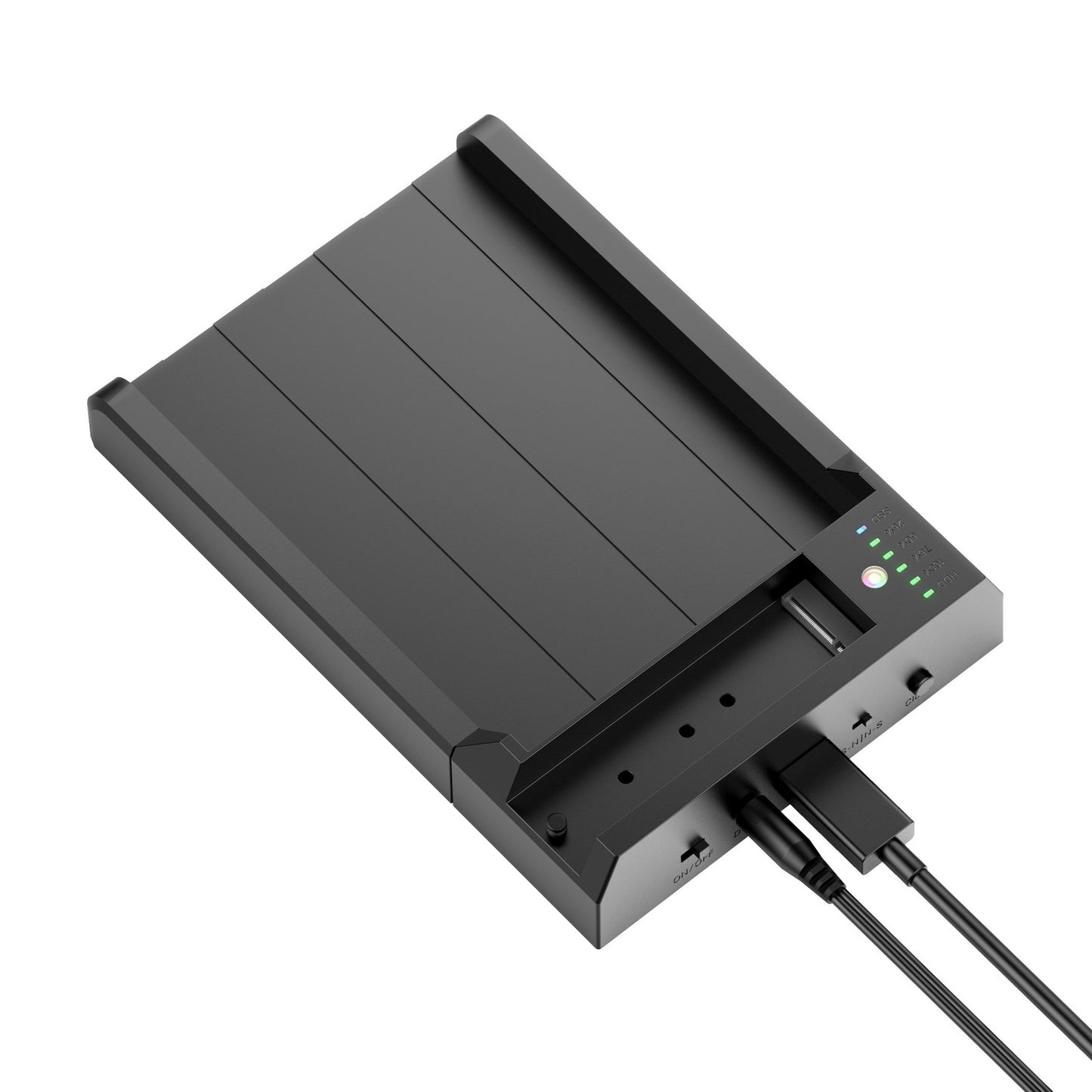
Manage, access and duplicate your storage drives with the Simplecom SD570 Dual Bay NVMe M.2 and SATA HDD/SSD Docking Station. Featuring one NVMe M.2 slot and one SATA drive bay, this versatile USB-C docking station lets you access two drives simultaneously or clone data between compatible drives without connecting to a computer. With USB 3.2 Gen 2 connectivity supporting transfer speeds up to 10Gbps, it is a convenient solution for storage expansion, data migration and backups.
Key Features & Benefits
- Dual-Bay Drive Support: Connect one NVMe M.2 SSD and one 2.5-inch or 3.5-inch SATA HDD/SSD simultaneously.
- High-Speed USB-C Connection: USB 3.2 Gen 2 interface supports data transfer rates up to 10Gbps with compatible equipment.
- Standalone Offline Cloning: Duplicate data between NVMe M.2 and SATA drives without connecting the docking station to a computer.
- Two-Way Cloning: Select the cloning direction between the NVMe M.2 and SATA drive using the dedicated direction switch.
- Simultaneous Drive Access: Multi-LUN support allows both installed drives to appear separately for accessing and transferring files.
- UASP Support: Supports USB Attached SCSI Protocol for improved data transfer performance with compatible systems.
- TRIM Support: Supports the TRIM command for compatible SSDs.
- Plug and Play: No additional driver installation is required on supported operating systems.
- LED Indicators: Built-in indicators display power and drive activity status.
Product Specifications
- Brand: Simplecom
- Model: SD570
- Product Type: Dual-Bay HDD/SSD Docking Station and Offline Cloner
- Host Interface: USB-C (USB 3.2 Gen 2)
- Maximum Transfer Rate: Up to 10Gbps
- NVMe Slot: 1 x NVMe M.2 SSD
- Supported M.2 Sizes: 2230, 2242, 2260 and 2280
- SATA Slot: 1 x 2.5-inch or 3.5-inch SATA HDD/SSD
- Multi-LUN Support: Yes, two separate drive letters
- Offline Clone: Yes, two-way cloning
- UASP Support: Yes
- TRIM Support: Yes
- Power Input: DC 12V / 3A
- Dimensions: 181 x 122 x 34mm (L x W x H)
- Net Weight: 163g
- Operating System Support: Windows 7 and above, macOS 10.8 and above
Product Uses
Ideal for transferring files between NVMe and SATA drives, upgrading storage, backing up important data, migrating operating systems and accessing multiple storage devices. Its standalone cloning function is particularly useful when duplicating a compatible drive without using a computer.
Package Includes
- 1 x Simplecom SD570 Dual-Bay Docking Station
- 1 x USB-C to USB-C Cable
- 1 x 12V Power Adapter
- 1 x User Manual
Compatibility & Important Notes
- The M.2 slot supports NVMe M.2 SSDs only. SATA M.2 and mSATA drives are not directly supported; an optional compatible adapter is required.
- The SATA bay supports 2.5-inch and 3.5-inch SATA HDDs and SSDs.
- For transfer speeds up to 10Gbps, use a compatible USB 3.2 Gen 2 or Thunderbolt 3 connection.
- Changing the cloning direction incorrectly can erase the intended source data. Check the direction switch carefully before starting.
- Back up important data before cloning. The target drive must have sufficient capacity for the source data.
- Do not insert or remove drives while another slot is actively accessing data through a computer.
- New drives may need to be initialised and partitioned before they can be used.
- Drives are not included.